
Ecovacs Winbot W2 Pro Omni
WIN-SLAM 4.0 mapping enables systematic single-window coverage without manual edge detection setup. Cordless battery station removes tether range limits for multi-story cleaning. Trade-off: remote control required for repositioning between windows; autonomous multi-window sequencing is not supported.
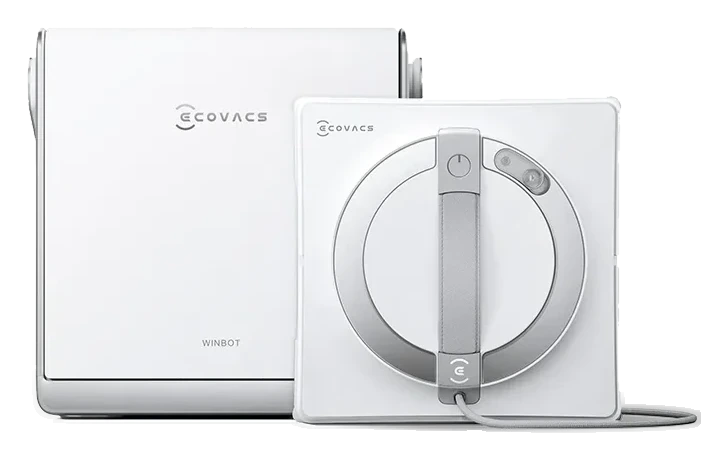
Will the Ecovacs Winbot W2 Pro Omni work on your windows?
Describe your windows using the controls. Each choice reads the spec sheet for you, flagging where the Ecovacs Winbot W2 Pro Omni is built for your space and where it isn’t.
A classification of fit for the conditions you set, not a recommendation. Verdicts describe engineering design intent, not test results.
The full spec sheet.
Priced above the category median, with every figure charted against the category below.
- Footprint
- 10.7 × 10.7 in · 3 in tall•
- Weight
- 3.5 lbs•
- Wi-Fi
- Supported
- Voice
- Alexa, Google Home
- Cleaning width
- 10.2 in•
- Backup battery runtime
- 30 min•
- Safety rope rating
- 220 lb•
- Min pane size
- 11.8 in•
- Power type
- Battery or mains-plugged operation✓
WIN-SLAM 4.0 path planning + triple-nozzle wide-angle spray
Position shows where the figure sits across the tracked category, not a quality judgment. The vacuum holding the robot on the glass, not cleaning power. The figure has no standard test method, so it is comparable only within a brand and generation.
Living with it.
Suction motor and pad mechanisms proven; tether reel and remote-control electronics show occasional wear beyond 18 months in field.
Owner forums document motor performance stable across 2024-2025 firmware cycles. Tether reel friction increases after 50-60 window cycles; replacement reel cost ~$40-60. Remote control connectivity issues reported in 5-8% of units within 18 months; firmware update (v2.0.1, Jan 2025) improved responsiveness but not elimination.
$700 to buy, then about $110 a year for the replaceable parts below. Over three years that is roughly $330 past the sticker price. Excludes electricity and any repairs.
- Mop padEvery 3-6 months$25–35
Replacement cadence from the maintenance schedule; prices shown where the source documents them.
CautionTether entanglement on exterior obstacles: Tether can snag on roof vents, gutters, or branches during multi-story operation; inspect path before deployment and maintain tether tension.
NoteSuction grip loss on certain glazing coatings: Low-e thermal-coating glass (common in modern homes) sometimes reduces suction adhesion below 10% by surface chemistry; test on small area first.
How the assessment has moved.
Every announcement, release and reassessment behind the current classification.
-
Aug 2026 · AssessmentRobovations Score revised 76 → 72
-
Aug 2026 · AssessmentRobovations Score revised 75 → 76
-
Aug 2026 · AssessmentRobovations Score rescored under v4.2: 73 → 75
-
Aug 2026 · AssessmentRobovations Score rescored under v4.0: 59 → 73
-
Jul 2026 · AssessmentRobovations Score revised 57 → 59
-
Jul 2026 · AssessmentRobovations Score recorded at 57 of 100
-
Oct 2024 · ReleaseEcovacs launches Winbot W2 Pro Omni with cordless Omni docking station
-
Jun 2024 · ReleaseLaunched with portable battery station globally
How Ecovacs Winbot W2 Pro Omni compares.
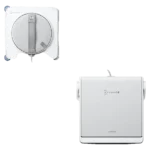
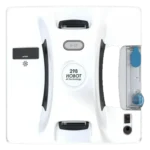
What people actually ask.
OperationHow does the Winbot W2 Pro Omni differ from the standard W2 Omni model?
OperationCan the W2 Pro Omni clean windows without manual repositioning between rooms?
OperationWhat happens if wind or vibration knocks the W2 Pro Omni off a window mid-cycle?
OperationDoes the portable battery station require a specific outlet type or can I use a standard indoor plug?
OperationIs the Winbot W2 Pro Omni safe for frameless or minimalist glass systems?
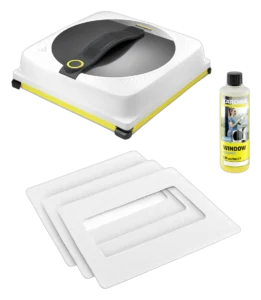 II
II
Kärcher RCW 4
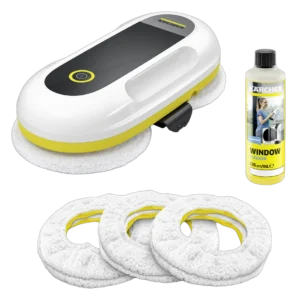 II
II
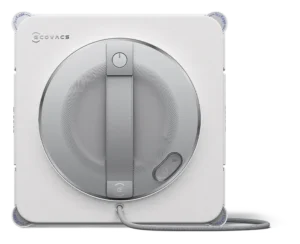
Kärcher RCW 2
 II
II
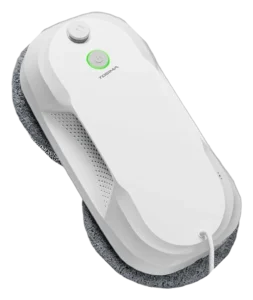
Ecovacs Winbot W2S Pro Omni
 II
II
Tosima W5 Window Cleaning Robot
Where it's sold
We may earn commission from qualifying purchases. This does not influence classification.
Reference the Ecovacs Winbot W2 Pro Omni classification.
Embed the Autonomy Ladder™ mark or copy the citation. The mark is served from this record, so a reassessment updates it on your page automatically.
Get the embed code and citation
Scale proportionally only, up to 2× (536px wide)(224px wide). No recolouring, cropping, rotating, or re-typesetting.
Robovations. "Ecovacs Winbot W2 Pro Omni: Autonomy Level II (Assisted Autonomy)." Autonomy Ladder™, assessed August 2026. https://robovations.com/robots/ecovacs-winbot-w2-pro-omni/
- Link it. The mark must point at this record. An unlinked mark is not authorised.
- Hot-link it. Never download, self-host, or re-upload the image. A saved copy stops updating, and a mark that has stopped updating is a claim we no longer stand behind.
- A classification, not an endorsement. It may not appear beside language implying Robovations recommends, rates, or approves the product.