
Eureka J15 Pro Ultra
LiDAR mapping and IntelliView AI liquid detection define this machine, with the wash-and-dry dock as the other half of the hardware story. The vacuum core is category-standard; the differentiator is what happens when the robot finds a spill. It lifts the roller brush, rotates so the mop leads, and cleans the liquid rather than driving through it.
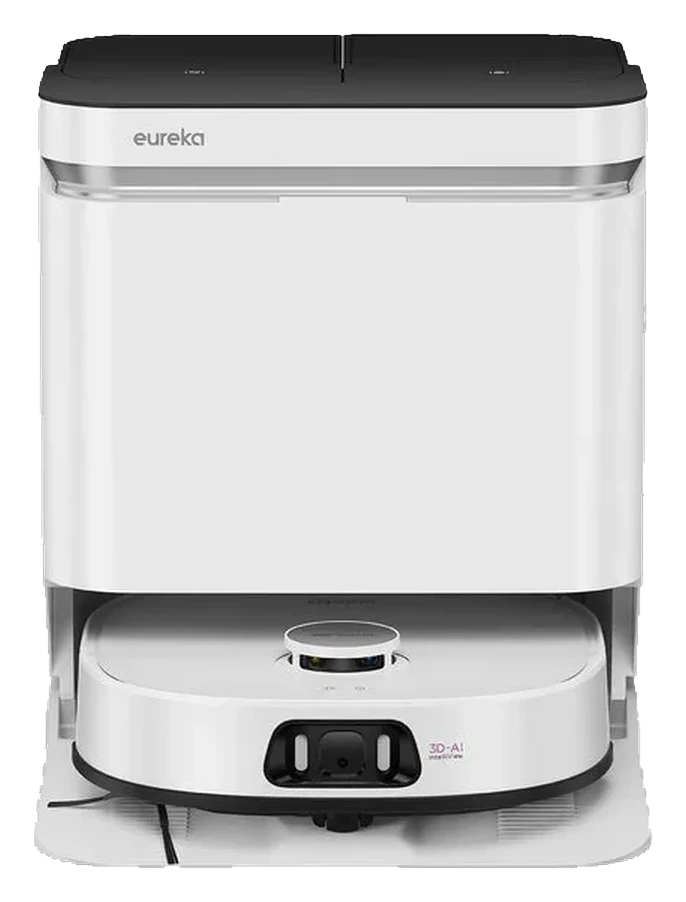
Will the Eureka J15 Pro Ultra work in your home?
Describe your home using the controls. Each choice reads the spec sheet for you, flagging where the Eureka J15 Pro Ultra is built for your space and where it isn’t.
A classification of fit for the conditions you set, not a recommendation. Verdicts describe engineering design intent, not test results.
The full spec sheet.
Priced above the category median, with every figure charted against the category below.
Position shows where the figure sits across the tracked category, not a quality judgment. Suction in Pascals has no standard test method, and the published figure is a peak-mode claim, so it is comparable only within a brand and generation.
Living with it.
Strong core navigation; dock wash mechanism remains the reliability variable on high-moisture homes.
LiDAR mapping is proven on Eureka's S-series line (18+ months in market). Dock wash and IntelliView are new; limited firmware history available. No major regressions documented; feature-set appears stable post-launch.
The independent record is still forming. Failure modes are listed once an outside source reports them.
$999 to buy, then about $27 a year for the replaceable parts below. Over three years that is roughly $81 past the sticker price. Excludes electricity and any repairs.
- Brush
- Filter
Replacement cadence from the maintenance schedule; prices shown where the source documents them.
CautionDock drainage requires nearby floor sink: Dock drain outlet must reach sink or dedicated drainage; improper setup risks water damage to floors.
NoteHeated surfaces during wash cycle: Dock nozzles and pad-wash chamber exceed 130°F during heating; skin contact possible during manual intervention.
How the assessment has moved.
Every announcement, release and reassessment behind the current classification.
-
Sep 2026 · AssessmentRobovations Score revised 72 → 73
-
Sep 2026 · AssessmentRecord status: Provisional → Pending
-
Aug 2026 · AssessmentRecord status: Verified → Provisional
-
Aug 2026 · AssessmentRobovations Score revised 76 → 72
-
Aug 2026 · AssessmentRobovations Score rescored under v4.2: 70 → 76
-
Jul 2026 · AssessmentRobovations Score revised 69 → 70
-
Jul 2026 · AssessmentRobovations Score recorded at 69 of 100
-
Jun 2025 · ReleaseReaches retail at $999.99 through major US channels
-
Jan 2025 · AnnouncementUnveiled at CES 2025 with IntelliView liquid detection
What people actually ask.
OperationDoes the J15's IntelliView detect all liquid spills, or will it miss standing water under furniture?
OperationWhat happens if I refill the dock's water tank while a scheduled clean is in progress?
OperationCan I disable the heated drying and run cooler drying to save electricity?
OwnershipHow often do the FlexiRazor brush inserts need replacement?
 III
III
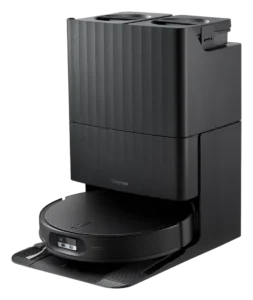
Roborock Qrevo Edge 2
 III
III
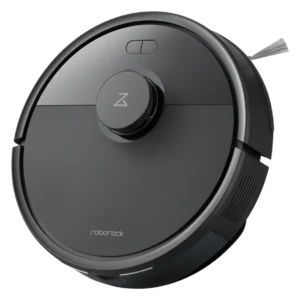
Roborock Q7 L5
 III
III
Dreame L10 Pro
Where it's sold
We may earn commission from qualifying purchases. This does not influence classification.
Reference the Eureka J15 Pro Ultra classification.
Embed the Autonomy Ladder™ mark or copy the citation. The mark is served from this record, so a reassessment updates it on your page automatically.
Get the embed code and citation
Scale proportionally only, up to 2× (536px wide)(224px wide). No recolouring, cropping, rotating, or re-typesetting.
Robovations. "Eureka J15 Pro Ultra: Autonomy Level III (Conditional Autonomy)." Autonomy Ladder™, assessed August 2026. https://robovations.com/robots/eureka-j15-pro-ultra/
- Link it. The mark must point at this record. An unlinked mark is not authorised.
- Hot-link it. Never download, self-host, or re-upload the image. A saved copy stops updating, and a mark that has stopped updating is a claim we no longer stand behind.
- A classification, not an endorsement. It may not appear beside language implying Robovations recommends, rates, or approves the product.