
Eufy Clean G40 Hybrid+
Gyro-navigation holds the price down. The self-empty dock makes routine operation hands-off; the mop function is convenience, not replacement for a dedicated wet-cleaner.
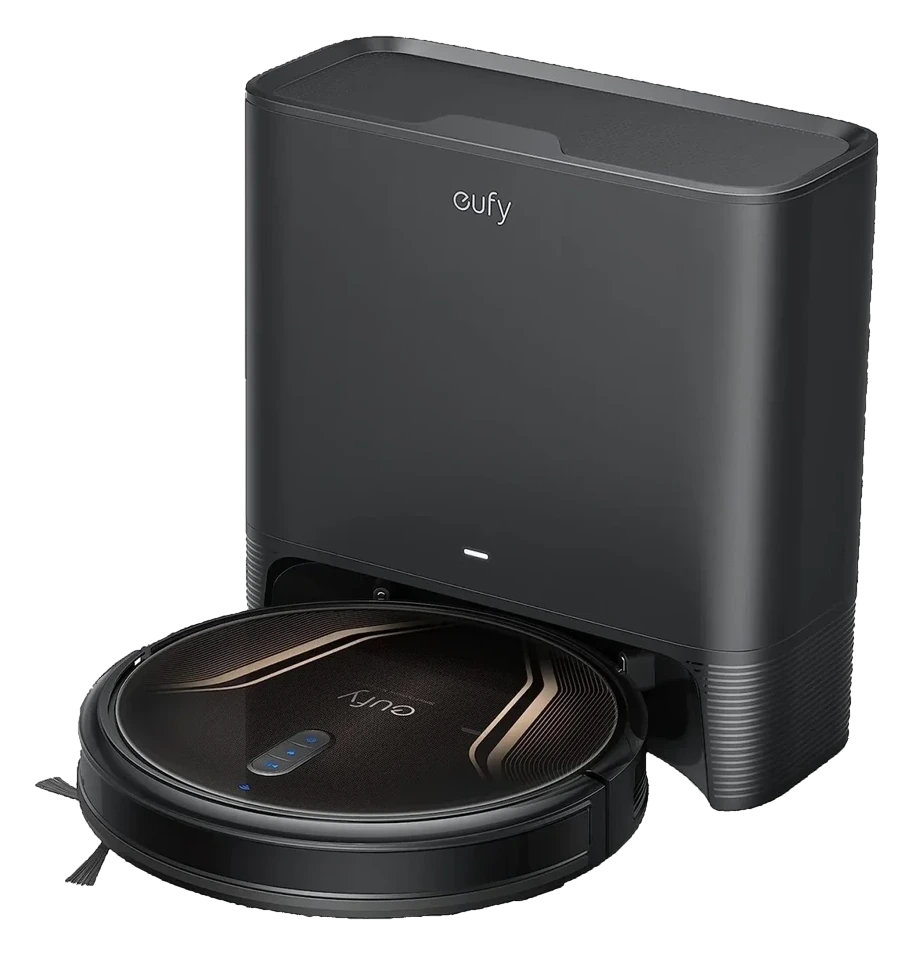
Will the Eufy Clean G40 Hybrid+ work in your home?
Describe your home using the controls. Each choice reads the spec sheet for you, flagging where the Eufy Clean G40 Hybrid+ is built for your space and where it isn’t.
A classification of fit for the conditions you set, not a recommendation. Verdicts describe engineering design intent, not test results.
The full spec sheet.
Priced below the category median, with every figure charted against the category below.
- Footprint
- 13.78 in dia · 3.94 in tall
- Weight
- 7.28 lbs
- Battery
- 72 Wh · Li-ion
- Wi-Fi
- 2.4 GHz only
- Voice
- Alexa, Google Home
- Water tank capacity
- 130 mL
- Dock type
- Auto-empty, mop washing
- Threshold climb
- 0.6 in✓
- Onboard dustbin
- 250 mL✓
Gyroscope-based planned pathfinding (no LiDAR, no camera mapping)
Position shows where the figure sits across the tracked category, not a quality judgment. Suction in Pascals has no standard test method, and the published figure is a peak-mode claim, so it is comparable only within a brand and generation.
Living with it.
No regression over two years; dock mechanism remains the weakest point.
Vacuum motor and brush design are field-proven; firmware updates addressed early suction inconsistencies. The dock auto-empty mechanism is reliable in dry homes but susceptible to blockage in high-shedding scenarios or when dust clumps from humidity.
$379 to buy, then about $48 a year for the replaceable parts below. Over three years that is roughly $144 past the sticker price. Excludes electricity and any repairs.
- Main brushMonthly$0
- Dust bagEvery 3-4 weeks$8–10
- Mop padQuarterly$6–8
- FilterAnnually$15–18
Replacement cadence from the maintenance schedule; prices shown where the source documents them.
CautionDock pinch risk at base plate: Moving dust collection drawer can catch fingers; keep hands clear during auto-empty cycle.
NoteMop water spill near electronics: Place dock on waterproof mat in humid kitchens; dock reservoir is not sealed and slow seepage is reported in high-humidity homes.
How the assessment has moved.
Every announcement, release and reassessment behind the current classification.
-
Aug 2026 · AssessmentRecord status: Verified → Provisional
-
Aug 2026 · AssessmentRobovations Score revised 52 → 50
-
Aug 2026 · AssessmentRobovations Score rescored under v4.2: 56 → 52
-
Jul 2026 · AssessmentValue 72 → 50, Reliability 62 → 80, 2 other dimensions · overall held at 56
-
Jul 2026 · AssessmentRobovations Score recorded at 56 of 100
-
Oct 2022 · ReleaseLaunches commercially with self-empty dock at $499
What people actually ask.
OperationDoes the G40 Hybrid+ mop while it vacuums, or vacuum then mop in a second pass?
OperationHow often do I need to replace the dock's dust bag?
OperationCan the G40 Hybrid+ handle multi-floor homes?
OperationDoes the mop pad need to be washed after every use?
OperationWhat is the suction power and will it handle hard-floor corners?
CompatibilityDoes it integrate with Alexa or Google Home?
 II
II
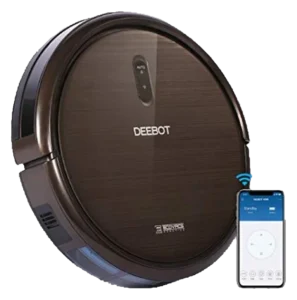
Ecovacs Deebot N79S
 II
II
Shark ION Robot 750
 II
II
iLife V3s Pro
 II
II
Eufy RoboVac 15C Max
Where it's sold
We may earn commission from qualifying purchases. This does not influence classification.
Reference the Eufy Clean G40 Hybrid+ classification.
Embed the Autonomy Ladder™ mark or copy the citation. The mark is served from this record, so a reassessment updates it on your page automatically.
Get the embed code and citation
Scale proportionally only, up to 2× (536px wide)(224px wide). No recolouring, cropping, rotating, or re-typesetting.
Robovations. "Eufy Clean G40 Hybrid+: Autonomy Level II (Assisted Autonomy)." Autonomy Ladder™, assessed August 2026. https://robovations.com/robots/eufy-clean-g40-hybrid/
- Link it. The mark must point at this record. An unlinked mark is not authorised.
- Hot-link it. Never download, self-host, or re-upload the image. A saved copy stops updating, and a mark that has stopped updating is a claim we no longer stand behind.
- A classification, not an endorsement. It may not appear beside language implying Robovations recommends, rates, or approves the product.