
Dreame D10 Plus
LiDAR SLAM navigation at an entry price. The dock handles the dusty part; owners still empty a reservoir on the mop cartridge.
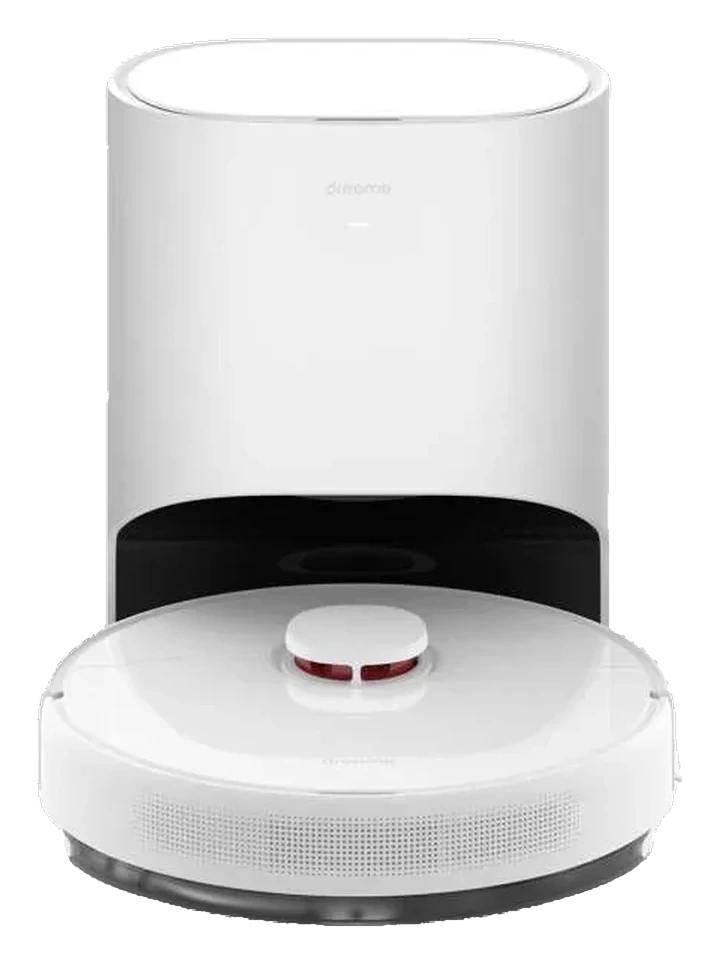
Will the Dreame D10 Plus work in your home?
Describe your home using the controls. Each choice reads the spec sheet for you, flagging where the Dreame D10 Plus is built for your space and where it isn’t.
A classification of fit for the conditions you set, not a recommendation. Verdicts describe engineering design intent, not test results.
The full spec sheet.
Priced below the category median, with every figure charted against the category below.
- Footprint
- 13.8 in dia · 3.9 in tall•
- Weight
- 7.9 lbs
- Battery
- 74.88 Wh · Li-ion
- Wi-Fi
- 2.4 GHz only
- Voice
- Alexa
- Onboard dustbin
- 400 mL•
- Water tank capacity
- 145 mL•
- Dock type
- Auto-empty, dust only
- Dust bag capacity
- 2.5 L•
LiDAR SLAM via LDS laser turret. No camera and no dedicated obstacle-avoidance sensor; obstacles are met by the physical bumper and cliff sensors.
Position shows where the figure sits across the tracked category, not a quality judgment. Suction in Pascals has no standard test method, and the published figure is a peak-mode claim, so it is comparable only within a brand and generation.
Living with it.
Two years in market with consistent owner feedback; navigation remains stable across firmware updates, but dock mechanism shows occasional drainage blockage.
Owner reports span 2022-2024 with low failure rates on vacuum navigation. Dock auto-empty mechanism experiences clogging when debris is wet or compacted; mop cartridge mildew is documented in humid climates without proper drying. Firmware updates have not addressed these dock-specific issues.
$399 to buy, then about $73 a year for the replaceable parts below. Over three years that is roughly $219 past the sticker price. Excludes electricity and any repairs.
- Dust bag
- Brush
- Mop pad
Replacement cadence from the maintenance schedule; prices shown where the source documents them.
NoteDock dust ejection during auto-empty: Dust bag filling occurs at speed; position dock away from seating or breathing-zone areas.
CautionMop cartridge water spillage: Manual water-tank removal can spill; position dock on waterproof surface away from electronics.
How the assessment has moved.
Every announcement, release and reassessment behind the current classification.
-
Aug 2026 · AssessmentRecord status: Verified → Provisional
-
Aug 2026 · AssessmentRobovations Score revised 65 → 69
-
Aug 2026 · AssessmentRobovations Score rescored under v4.2: 66 → 65
-
Jul 2026 · AssessmentAutonomy 62 → 55, Maintenance 62 → 68, 2 other dimensions · overall held at 66
-
Jul 2026 · AssessmentRobovations Score recorded at 66 of 100
-
Sep 2023 · NewsValue position pressured by budget-tier successor launches
-
Jun 2022 · AnnouncementDreame announces D10 Plus robot vacuum and mop for June 2022 launch
What people actually ask.
OperationCan the D10 Plus handle both vacuuming and mopping in a single run?
OperationHow often does the dock bag need to be emptied or replaced?
CompatibilityDoes the D10 Plus work with 5 GHz Wi-Fi?
OperationWhat happens to navigation if the dock is moved to a different room?
OperationIs the mop cartridge washable or must it be replaced?
 III
III
Dreame L10 Pro
 III
III
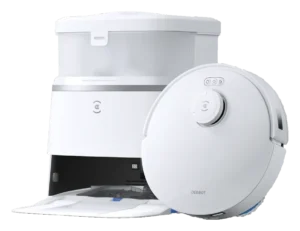
Ecovacs Deebot T30 Pro Omni
 III
III
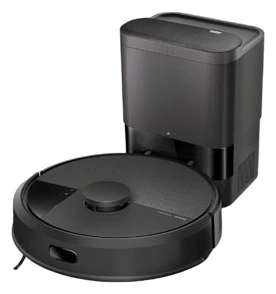
Roborock S8 MaxV Ultra
Where it's sold
We may earn commission from qualifying purchases. This does not influence classification.
Reference the Dreame D10 Plus classification.
Embed the Autonomy Ladder™ mark or copy the citation. The mark is served from this record, so a reassessment updates it on your page automatically.
Get the embed code and citation
Scale proportionally only, up to 2× (536px wide)(224px wide). No recolouring, cropping, rotating, or re-typesetting.
Robovations. "Dreame D10 Plus: Autonomy Level III (Conditional Autonomy)." Autonomy Ladder™, assessed August 2026. https://robovations.com/robots/dreame-d10-plus/
- Link it. The mark must point at this record. An unlinked mark is not authorised.
- Hot-link it. Never download, self-host, or re-upload the image. A saved copy stops updating, and a mark that has stopped updating is a claim we no longer stand behind.
- A classification, not an endorsement. It may not appear beside language implying Robovations recommends, rates, or approves the product.