
TP-Link Tapo RV30 Plus
LiDAR mapping with scheduled auto-empty at sub-$600. Adds dock convenience without the premium price tag of flagship competitors. Delivers systematic coverage and hands-off operation for typical home sizes.
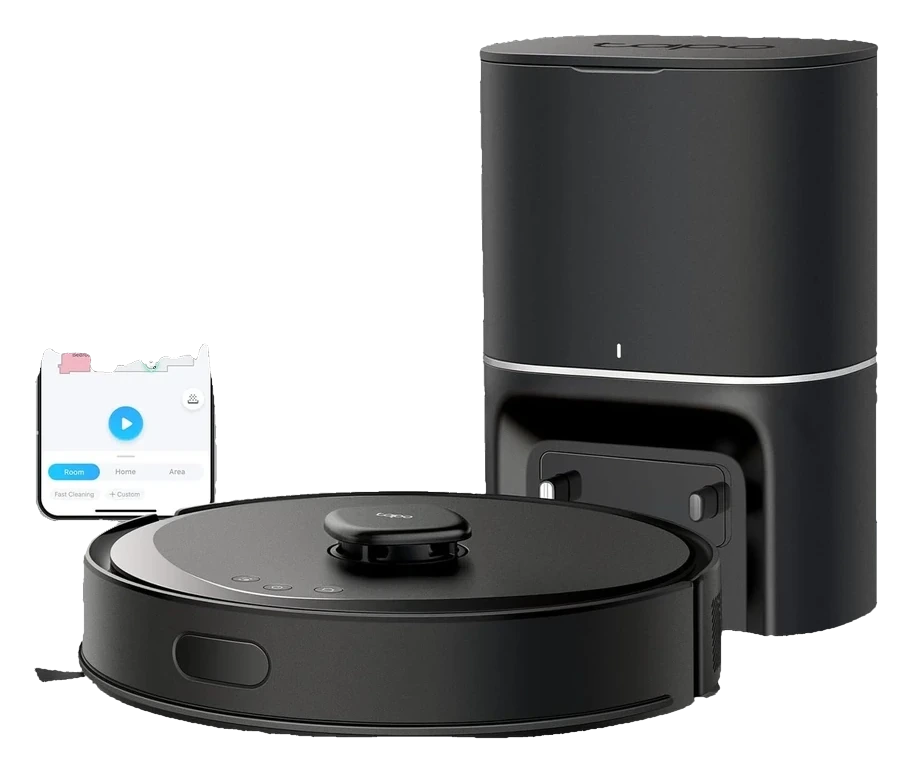
Will the TP-Link Tapo RV30 Plus work in your home?
Describe your home using the controls. Each choice reads the spec sheet for you, flagging where the TP-Link Tapo RV30 Plus is built for your space and where it isn’t.
A classification of fit for the conditions you set, not a recommendation. Verdicts describe engineering design intent, not test results.
The full spec sheet.
Priced below the category median, with every figure charted against the category below.
- Footprint
- 13.4 in dia · 3.7 in tall
- Weight
- 8.2 lbs
- Battery
- 90 Wh · Li-ion
- Wi-Fi
- 2.4 GHz only
- Voice
- Alexa, Google Home
- Onboard dustbin
- 350 mL✓
- Water tank capacity
- 300 mL✓
- Dust bag capacity
- 4 L✓
- Dock type
- Auto-empty
- Threshold climb
- 0.8 in✓
LiDAR SLAM with AI obstacle avoidance; multi-floor mapping support
Position shows where the figure sits across the tracked category, not a quality judgment. Suction in Pascals has no standard test method, and the published figure is a peak-mode claim, so it is comparable only within a brand and generation.
Living with it.
Stable navigation performance with dock-dependent mechanics; water system risk is lower than mop-equipped competitors.
Launched June 2023 with two firmware updates addressing navigation edge-cases and dock communication timing. Owner reports spanning 18-24 months show consistent performance. Primary failure point is the dust-bag seal in the dock; secondary is occasional navigation stalls on dark or reflective surfaces.
$599 to buy, then about $80 a year for the replaceable parts below. Over three years that is roughly $240 past the sticker price. Excludes electricity and any repairs.
- FilterMonthly$12–15
- Dust bagEvery 70 days$5–8
Replacement cadence from the maintenance schedule; prices shown where the source documents them.
NoteDock vacuum noise during auto-empty: Auto-empty cycle generates 75-80 dB for 5-10 seconds. Not suitable for bedside dock placement; schedule operation during waking hours.
How the assessment has moved.
Every announcement, release and reassessment behind the current classification.
-
Sep 2026 · AssessmentRecord status: Verified → Provisional
-
Aug 2026 · AssessmentRobovations Score rescored under v4.2: 76 → 78
-
Aug 2026 · AssessmentRobovations Score rescored under v4.0: 70 → 76
-
Jul 2026 · AssessmentRobovations Score revised 68 → 70
-
Jul 2026 · AssessmentRobovations Score recorded at 68 of 100
-
Mar 2024 · UpdateFirmware update adds map backup, furniture recognition
-
Jul 2023 · ReleaseTapo RV30 Plus launches at $599 with auto-empty dock included
What people actually ask.
OperationWhat's the difference between the Tapo RV30 Plus and the standard RV30 model?
OperationHow often does the dust bag in the auto-empty dock need to be replaced?
CompatibilityDoes the RV30 Plus work with Alexa or Google Home, or only with the Tapo app?
CompatibilityIf the Wi-Fi network goes down, does the RV30 Plus continue its cleaning schedule?
OperationCan the RV30 Plus handle a home with two separate floors, or do I need two separate maps?
ComparisonHow does the RV30 Plus compare to budget LiDAR competitors like the Wyze vacuum?
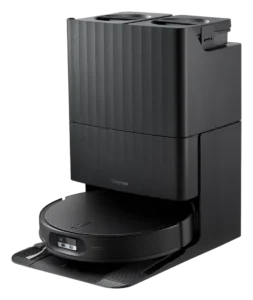 III
III
Roborock Qrevo Edge 2
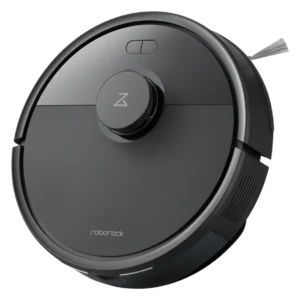 III
III
Roborock Q7 L5
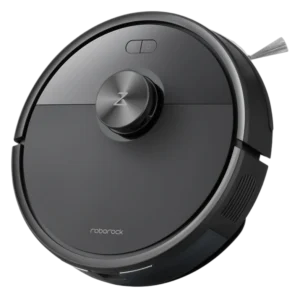
 III
III
Dreame L10 Pro
Reference the TP-Link Tapo RV30 Plus classification.
Embed the Autonomy Ladder™ mark or copy the citation. The mark is served from this record, so a reassessment updates it on your page automatically.
Get the embed code and citation
Scale proportionally only, up to 2× (536px wide)(224px wide). No recolouring, cropping, rotating, or re-typesetting.
Robovations. "TP-Link Tapo RV30 Plus: Autonomy Level III (Conditional Autonomy)." Autonomy Ladder™, assessed August 2026. https://robovations.com/robots/tp-link-tapo-rv30-plus/
- Link it. The mark must point at this record. An unlinked mark is not authorised.
- Hot-link it. Never download, self-host, or re-upload the image. A saved copy stops updating, and a mark that has stopped updating is a claim we no longer stand behind.
- A classification, not an endorsement. It may not appear beside language implying Robovations recommends, rates, or approves the product.