
Roborock S6 MaxV
Landmark product: the first vacuum combining LiDAR mapping with dual-camera obstacle avoidance. Navigation improved steadily through firmware updates; the reactive layer identifies floor clutter that LiDAR mapping alone does not see. Mop capability is basic (stationary pads, no wash).

Will the Roborock S6 MaxV work in your home?
Describe your home using the controls. Each choice reads the spec sheet for you, flagging where the Roborock S6 MaxV is built for your space and where it isn’t.
A classification of fit for the conditions you set, not a recommendation. Verdicts describe engineering design intent, not test results.
The full spec sheet.
Priced below the category median, with every figure charted against the category below.
Position shows where the figure sits across the tracked category, not a quality judgment. Suction in Pascals has no standard test method, and the published figure is a peak-mode claim, so it is comparable only within a brand and generation.
Living with it.
Four years of firmware updates stabilized navigation; the dock integration remains the weak point.
Owner reports from 2020-2024 confirm LiDAR navigation reliability improved through software updates. Camera calibration required periodic firmware refinement. Dock connectivity and mop functionality had occasional issues reported in later years.
$749 to buy, then about $4 a year for the replaceable parts below. Over three years that is roughly $12 past the sticker price. Excludes electricity and any repairs.
- Filter
- Mop pad
Replacement cadence from the maintenance schedule; prices shown where the source documents them.
CautionPinch point at dock connection: Moving parts during docking and undocking. Keep fingers clear during automated docking cycle.
NoteCamera privacy in homes with security concerns: Dual cameras transmit image data to the mobile app and (per terms) to Roborock servers. Disable visual object detection in privacy-conscious settings.
How the assessment has moved.
Every announcement, release and reassessment behind the current classification.
-
Aug 2026 · AssessmentRobovations Score rescored under v4.2: 67 → 68
-
Aug 2026 · AssessmentRobovations Score rescored under v4.0: 68 → 67
-
Jul 2026 · AssessmentRobovations Score revised 67 → 68
-
Jul 2026 · AssessmentRobovations Score recorded at 67 of 100
-
Mar 2024 · NewsS7 and S8 generations reposition S6 MaxV as legacy platform
-
Jan 2022 · News’s firmware trail ends after January 2022 release
-
Jul 2020 · UpdateFirmware update expands ReactiveAI object recognition
-
Apr 2020 · AnnouncementRoborock unveils S6 MaxV with dual cameras and ReactiveAI obstacle avoidance
What people actually ask.
OperationDoes the S6 MaxV obstacle avoidance work on dark floors and at night?
OperationCan the S6 MaxV map multiple floors and remember layouts?
OwnershipWhat is the mop pad replacement cost and frequency?
ComparisonHow does the S6 MaxV compare to the S7 in obstacle avoidance?
CompatibilityDoes this robot work without the mobile app?
 III
III
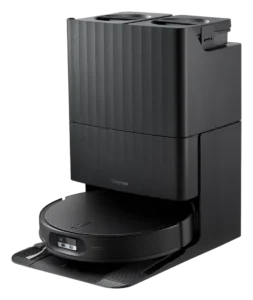
Roborock Qrevo Edge 2
 III
III
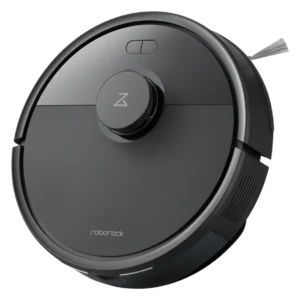
Roborock Q7 L5
 III
III
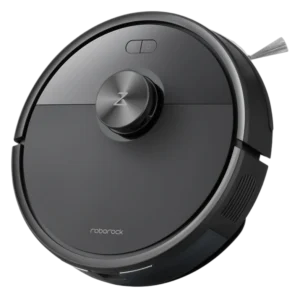
Dreame L10 Pro
Where it's sold
We may earn commission from qualifying purchases. This does not influence classification.
Reference the Roborock S6 MaxV classification.
Embed the Autonomy Ladder™ mark or copy the citation. The mark is served from this record, so a reassessment updates it on your page automatically.
Get the embed code and citation
Scale proportionally only, up to 2× (536px wide)(224px wide). No recolouring, cropping, rotating, or re-typesetting.
Robovations. "Roborock S6 MaxV: Autonomy Level III (Conditional Autonomy)." Autonomy Ladder™, assessed August 2026. https://robovations.com/robots/roborock-s6-maxv/
- Link it. The mark must point at this record. An unlinked mark is not authorised.
- Hot-link it. Never download, self-host, or re-upload the image. A saved copy stops updating, and a mark that has stopped updating is a claim we no longer stand behind.
- A classification, not an endorsement. It may not appear beside language implying Robovations recommends, rates, or approves the product.