
Dyson 360 Vis Nav
Exceptional suction power and real-time obstacle detection. The non-docking base dock and smaller dustbin cap its practical autonomy compared to self-emptying competitors at the same price.
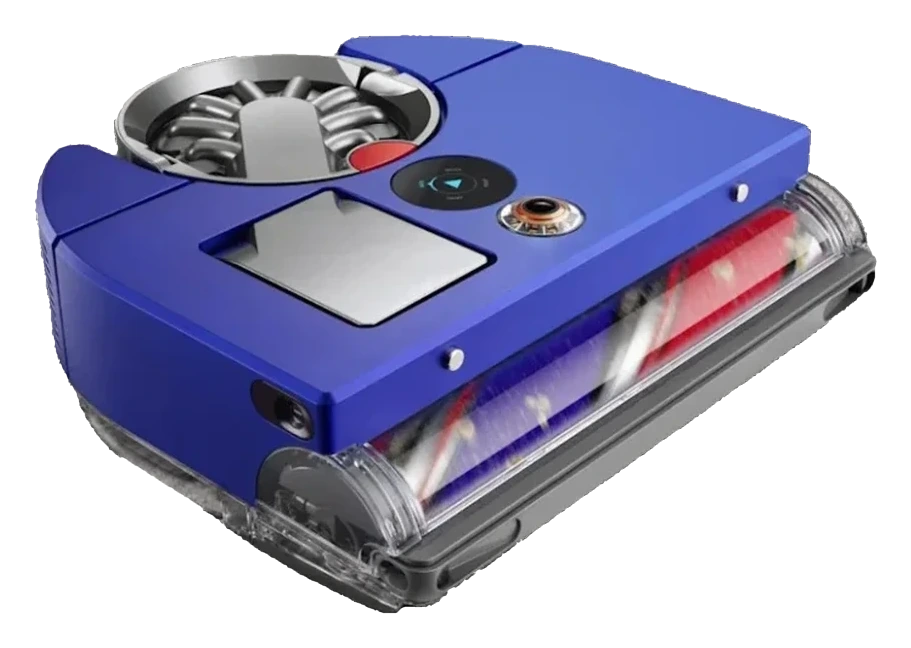
Will the Dyson 360 Vis Nav work in your home?
Describe your home using the controls. Each choice reads the spec sheet for you, flagging where the Dyson 360 Vis Nav is built for your space and where it isn’t.
A classification of fit for the conditions you set, not a recommendation. Verdicts describe engineering design intent, not test results.
Living with it.
Stable navigation and obstacle detection; dustbin complexity low. Firmware has remained consistent across 12+ months.
→ Stableowner-reported arc
Vision mapping and obstacle avoidance operate consistently across owner reports, with the known caveat that camera-based navigation degrades in very low light. The bin-and-dock system is mechanically simpler than self-empty dock designs and has not generated documented failure clusters. No major firmware regressions reported.
Empty if shedding is high (multi-pet homes); weekly for low-shedding households.
Tap out the washable ; rinse monthly and air-dry fully before reinstalling.
Replace pack if clogging persists (~$20 per replacement set).
Clean brush rollers and side brush; check dock charging for debris.
Inspect treads for wear; replace if grip is lost (~$15 per wheel pair).
Manually retrieve robot from under-furniture traps; digitally update no-go zones.
$1,099 to buy, then about $60 a year for the replaceable parts below. Over three years that is roughly $180 past the sticker price. Excludes electricity and any repairs.
- Monthly$20
- Annually$15
Replacement cadence from the maintenance schedule; prices shown where the source documents them.
-
CautionHigh suction can ingest small itemsSuction at 65 air watts can pull in small items (hair clips, cords, pet tags). Clear loose objects from the floor before scheduled runs.
-
Vision-based navigation depends on ambient light. Performance degrades in dark rooms; schedule runs during daylight or leave lights on.
The full spec sheet.
Priced above the category median, with every figure charted against the category below.
- FootprintThe width, depth and height of the robot itself, without its dock.
- 12.6 × 13 in · 3.82 in tall•
- WeightThe robot alone, without its dock, as the maker states it.
- 11 lbs•
- BatteryStored energy in watt-hours; a larger pack runs longer, not harder.
- 72 Wh · Li-ion
- Wi-FiThe bands the robot can join; many models need a 2.4 GHz network to set up.
- 2.4 GHz only✓
- VoiceThe assistants the maker's app links to; the robot itself does not listen.
- Alexa, Google Home✓
- Threshold climbThe tallest lip the robot is rated to cross; a door sill is about 0.8 in.
- 0.8 in•
- Onboard dustbinThe bin inside the robot; an auto-empty dock moves its contents into a bag.
- 500 mL•
- DockWhat the base does besides charging: empty the bin, wash and dry pads, refill water.
- Charge-only dock, no self-emptying
360-degree panoramic vision camera (SLAM) with 26 onboard sensors
Position shows where the figure sits across the tracked category, not a quality judgment. Suction in Pascals has no standard test method, and the published figure is a peak-mode claim, so it is comparable only within a brand and generation.
How the assessment has moved.
Every announcement, release and reassessment behind the current classification.
-
Aug 2026 · AssessmentRecord status: Verified → Provisional
-
Aug 2026 · AssessmentRobovations Score rescored under v4.2: 66 → 68
-
Jul 2026 · AssessmentRobovations Score recorded at 66 of 100
-
Mar 2024 · ReleaseLaunches in US at $1,199 MSRP
-
Aug 2023 · ReleaseLaunches commercially in Australia and UK
-
May 2023 · AnnouncementUnveiled with panoramic vision navigation system
What people actually ask.
OperationDoes the Dyson 360 Vis Nav self-empty?
OperationCan the 360 Vis Nav handle stairs?
OperationHow long does the battery last on a full charge?
OperationDoes the Dyson 360 Vis Nav require physical boundary strips?
OperationWhat happens if the 360 Vis Nav gets stuck under a chair or bed?
OperationIs cloud connectivity required to operate the Dyson 360 Vis Nav?

 III
III
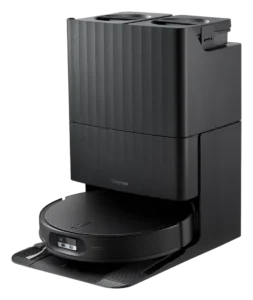
Roborock Qrevo Edge 2
 III
III
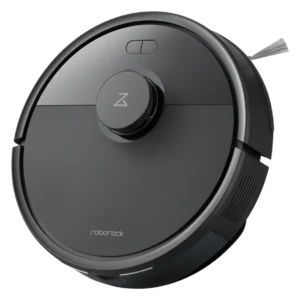
Roborock Q7 L5
 III
III
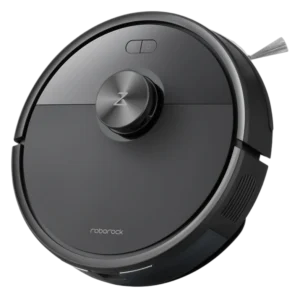
Dreame L10 Pro
Where it's sold
We may earn commission from qualifying purchases. This does not influence classification.
We are no longer finding a current new-stock listing for this robot. Remaining offers may be used, refurbished, or third-party — confirm the condition and price on the retailer’s page before buying.
Reference the Dyson 360 Vis Nav classification.
Embed the Autonomy Ladder™ mark or copy the citation. The mark is served from this record, so a reassessment updates it on your page automatically.
Get the embed code and citation
Scale proportionally only, up to 2× (536px wide)(224px wide). No recolouring, cropping, rotating, or re-typesetting.
Robovations. "Dyson 360 Vis Nav: Autonomy Level III (Conditional Autonomy)." Autonomy Ladder™, assessed September 2026. https://robovations.com/robots/dyson-360-vis-nav/
- Link it. The mark must point at this record. An unlinked mark is not authorised.
- Hot-link it. Never download, self-host, or re-upload the image. A saved copy stops updating, and a mark that has stopped updating is a claim we no longer stand behind.
- A classification, not an endorsement. It may not appear beside language implying Robovations recommends, rates, or approves the product.