
Dreame L10s Ultra Gen 2
10,000 Pa on a station that empties, refills, washes and dries: close to double the suction of the original L10s Ultra, with the mopping side upgraded rather than tacked on. MopExtend swings the pad out to reach edges, and the pads lift when the robot detects carpet.
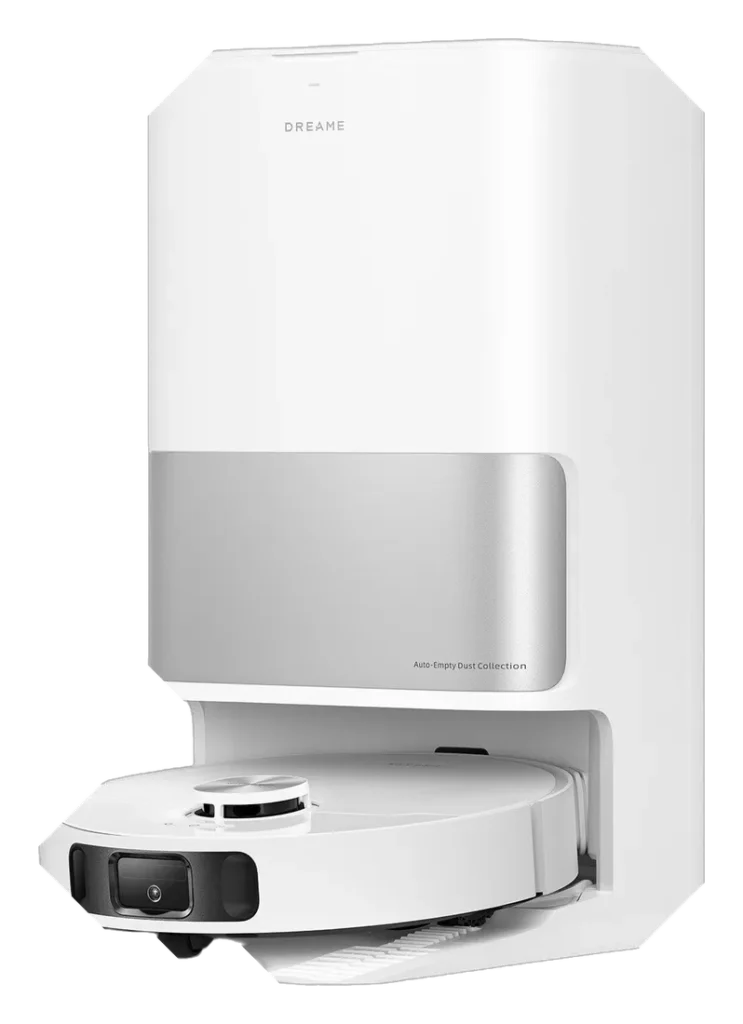
Will the Dreame L10s Ultra Gen 2 work in your home?
Describe your home using the controls. Each choice reads the spec sheet for you, flagging where the Dreame L10s Ultra Gen 2 is built for your space and where it isn’t.
A classification of fit for the conditions you set, not a recommendation. Verdicts describe engineering design intent, not test results.
The full spec sheet.
Priced below the category median, with every figure charted against the category below.
Position shows where the figure sits across the tracked category, not a quality judgment. Suction in Pascals has no standard test method, and the published figure is a peak-mode claim, so it is comparable only within a brand and generation.
Living with it.
Stable navigation over 12 months; dock-sensor false-positives create minor operational friction.
Owner reports from Q4 2024 onward document consistent LiDAR mapping after initial calibration. Two firmware updates (2024-Q4, 2025-Q1) addressed carpet-edge drift. Dock sensor alerts for full dust bin and water-tank levels are correctly triggered; user must acknowledge app notification to resume auto-empty.
$589 to buy, then about $18 a year for the replaceable parts below. Over three years that is roughly $54 past the sticker price. Excludes electricity and any repairs.
- Filter
- Dust bag
Replacement cadence from the maintenance schedule; prices shown where the source documents them.
CautionDock weight and cord routing: Dock base is 8-10 lbs; secure to avoid tip-over if bumped by pets or children.
NoteMop pad sharp edges on dock: Self-wash mechanism has exposed edges; avoid prolonged contact during manual mop removal.
How the assessment has moved.
Every announcement, release and reassessment behind the current classification.
-
Sep 2026 · AssessmentRecord status: Verified → Provisional
-
Aug 2026 · AssessmentRobovations Score revised 83 → 79
-
Aug 2026 · AssessmentRobovations Score rescored under v4.2: 80 → 83
-
Aug 2026 · AssessmentRobovations Score rescored under v4.0: 67 → 80
-
Jul 2026 · AssessmentRobovations Score revised 68 → 67
-
Jul 2026 · AssessmentRobovations Score recorded at 68 of 100
-
Oct 2024 · ReleaseReaches retail in North America and Europe
-
Sep 2024 · AnnouncementAnnounced at IFA 2024 with extended mop arm
What people actually ask.
OperationDoes the Dreame L10s Ultra Gen 2 work on carpeted stairs?
CompatibilityCan I run the Dreame L10s Ultra Gen 2 on a 2.4 GHz network separate from my 5 GHz primary network?
OperationHow often does the mop pad need cleaning on high-traffic areas?
OperationIs the Dreame L10s Ultra Gen 2 the same as the Gen 1 with more suction power?
OperationHow often does the station's dust bag need replacing?
 III
III
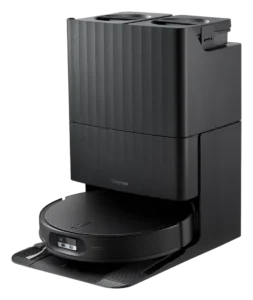
Roborock Qrevo Edge 2
 III
III
Roborock Q7 L5
 III
III
Dreame L10 Pro
Where it's sold
We may earn commission from qualifying purchases. This does not influence classification.
Reference the Dreame L10s Ultra Gen 2 classification.
Embed the Autonomy Ladder™ mark or copy the citation. The mark is served from this record, so a reassessment updates it on your page automatically.
Get the embed code and citation
Scale proportionally only, up to 2× (536px wide)(224px wide). No recolouring, cropping, rotating, or re-typesetting.
Robovations. "Dreame L10s Ultra Gen 2: Autonomy Level III (Conditional Autonomy)." Autonomy Ladder™, assessed September 2026. https://robovations.com/robots/dreame-l10s-ultra-gen-2/
- Link it. The mark must point at this record. An unlinked mark is not authorised.
- Hot-link it. Never download, self-host, or re-upload the image. A saved copy stops updating, and a mark that has stopped updating is a claim we no longer stand behind.
- A classification, not an endorsement. It may not appear beside language implying Robovations recommends, rates, or approves the product.