
SwitchBot Bot
One motion, reliably repeated. The Bot does not decide anything; it presses when told. That narrow contract is exactly the point, and nine years of sustained market presence confirms owners find it sufficient.
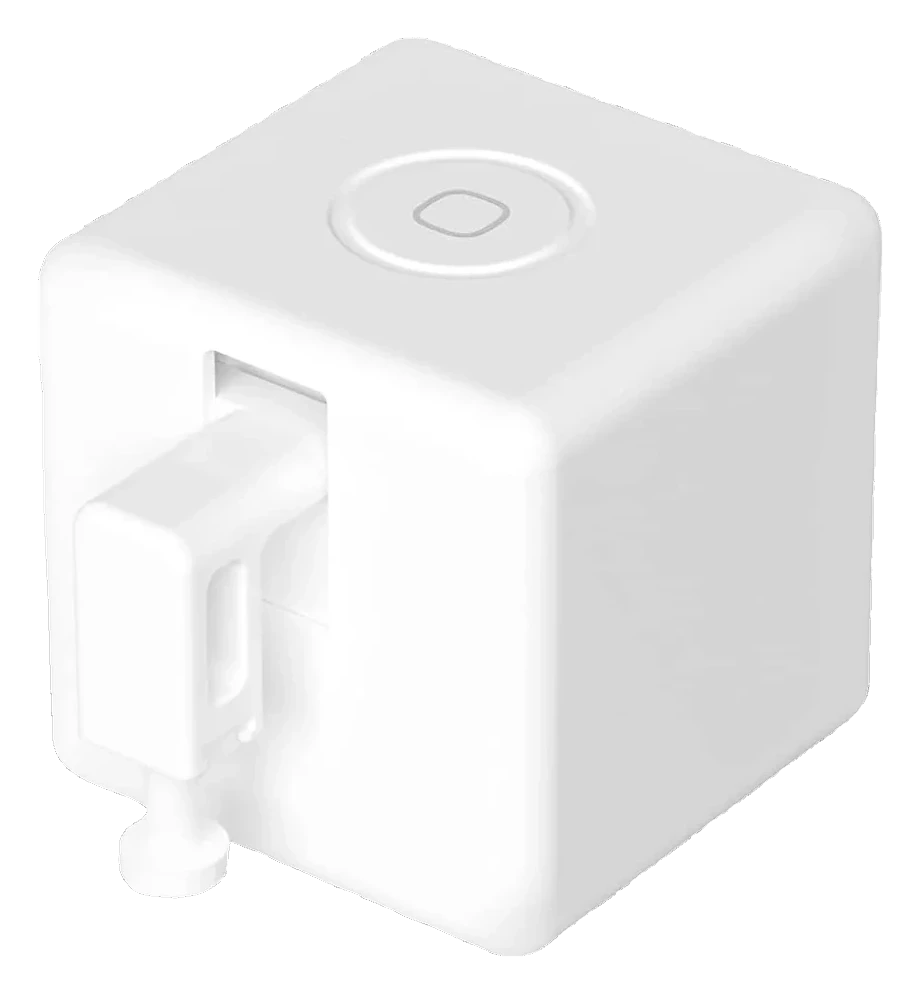
Will the SwitchBot Bot fit your application?
Describe your use case using the controls. Each choice reads the spec sheet for you, flagging where the SwitchBot Bot is built for your space and where it isn’t.
A classification of fit for the conditions you set, not a recommendation. Verdicts describe engineering design intent, not test results.
Living with it.
Nine-year market veteran with simple mechanical design; adhesive drift and Bluetooth instability are the only recurring failure modes.
→ Stableowner-reported arc
No mechanical failures of arm mechanism documented. Two recurring issues: VHB adhesive failure after 12-24 months on smooth surfaces causing missed button targets, and Bluetooth connectivity interruptions when Hub involved, typically resolved by power-cycling.
Replace CR2 coin cell; approximately $1 to $2 per battery, no tools required. On the Bot Rechargeable this becomes a USB-C recharge roughly every six months instead.
Re-mount using replacement 3M VHB adhesive strip when unit shifts or adhesive loses tack; strips sold by SwitchBot separately.
Recalibrate string length in switch mode if the controlled toggle or rocker shifts position.
Update SwitchBot app and Hub firmware via the app when prompted; no user intervention beyond approval.
$29 to buy, then about $12 a year in replaceable parts. Over three years that is roughly $36 past the sticker price. Excludes electricity and any repairs.
-
CautionAdhesive mount can fail near heatUnit can fall on vertical surfaces if adhesive fails, especially near heat sources
-
CautionNo motion sensing or state confirmationArm extends regardless of obstruction; not suitable for gas or safety-critical appliances
The full spec sheet.
Priced below the category median, with every figure charted against the category below.
- FootprintThe width, depth and height of the robot itself, without its dock.
- 1.7 × 1.5 in · 0.9 in tall•
- WeightThe robot alone, without its dock, as the maker states it.
- 0.09 lbs✓
None; single-axis arm extension and retraction on command, no environmental sensing.
Position shows where the figure sits across the tracked category, not a quality judgment.
How the assessment has moved.
Every announcement, release and reassessment behind the current classification.
-
Sep 2026 · AssessmentRecord status: Verified → Provisional
-
Sep 2026 · NewsPrice climbs 28% in Robovations price-history tracking
-
Sep 2026 · AssessmentRobovations Score revised 69 → 54
-
Aug 2026 · AssessmentRobovations Score rescored under v4.2: 64 → 69
-
Jul 2026 · AssessmentRobovations Score recorded at 64 of 100
-
Apr 2026 · ReleaseRechargeable variant released with USB-C power option
-
Jul 2017 · ReleaseCommercially released as physical button automation device
What people actually ask.
OperationDo I need the SwitchBot Hub to use the Bot?
OperationCan the Bot tell me if it actually pressed the button?
OperationHow long does the battery last?
OperationWill the adhesive hold long term?
OperationWhat is the difference between press mode and switch mode?
CompatibilityDoes this work with Apple HomeKit without a hub?
 I
I
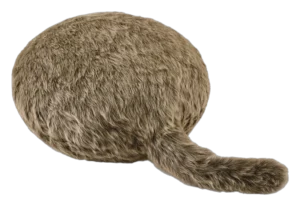
Yukai Engineering Qoobo
 I
I
Ropet KAMOMO


Where it's sold
We may earn commission from qualifying purchases. This does not influence classification.
Reference the SwitchBot Bot classification.
Embed the Autonomy Ladder™ mark or copy the citation. The mark is served from this record, so a reassessment updates it on your page automatically.
Get the embed code and citation
Scale proportionally only, up to 2× (536px wide)(224px wide). No recolouring, cropping, rotating, or re-typesetting.
Robovations. "SwitchBot Bot: Autonomy Level I (Manual Automation)." Autonomy Ladder™, assessed September 2026. https://robovations.com/robots/switchbot-bot/
- Link it. The mark must point at this record. An unlinked mark is not authorised.
- Hot-link it. Never download, self-host, or re-upload the image. A saved copy stops updating, and a mark that has stopped updating is a claim we no longer stand behind.
- A classification, not an endorsement. It may not appear beside language implying Robovations recommends, rates, or approves the product.