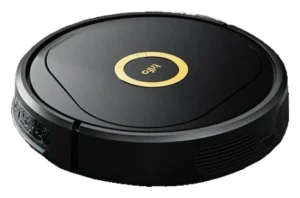
eufy Robot Vacuum Auto-Empty C10 · Trifo Lucy Ultra
All robot vacuums. Every measure below is plotted against the full class, so a difference can be read against how much the class itself varies.
- eufy Robot Vacuum Auto-Empty C10
- Trifo Lucy Ultra
What each one does on its own.
The Autonomy Ladder is the same five rungs for every robot on the site. A rung describes the conditions a robot handles without you, not how good it is.
Where they actually differ.
The Robovations Score is nine inputs across three pillars, each weighted as shown and each scored so that more is better. A robot can lead on one and trail on another, which is the point of showing them apart. Cost of ownership and data handling are reported on each robot's own page and are never averaged into the score.
Capability
- eufy Robot Vacuum Auto-Empty C1078
- Trifo Lucy Ultra40
- eufy Robot Vacuum Auto-Empty C1068
- Trifo Lucy Ultra58
- eufy Robot Vacuum Auto-Empty C1035
- Trifo Lucy Ultra50
- eufy Robot Vacuum Auto-Empty C1042
- Trifo Lucy Ultra60
Dependability
- eufy Robot Vacuum Auto-Empty C1057
- Trifo Lucy Ultra48
- eufy Robot Vacuum Auto-Empty C1066
- Trifo Lucy Ultra82
- eufy Robot Vacuum Auto-Empty C1050
- Trifo Lucy Ultra40
Ownership burden
- eufy Robot Vacuum Auto-Empty C1080
- Trifo Lucy Ultra36
- eufy Robot Vacuum Auto-Empty C1075
- Trifo Lucy Ultra61
How far apart is a long way?
A number only means something next to the spread it sits in. Each track below is the real range across every classified robot in the class, with the median marked.
- eufy Robot Vacuum Auto-Empty C10$479.99
- Trifo Lucy Ultra$399
- eufy Robot Vacuum Auto-Empty C104,000 Pa
- Trifo Lucy Ultra4,000 Pa
- eufy Robot Vacuum Auto-Empty C10120 min
- Trifo Lucy Ultra120 min
- eufy Robot Vacuum Auto-Empty C105.5 lbs
- Trifo Lucy Ultra7.5 lbs
- eufy Robot Vacuum Auto-Empty C102.8 in
- Trifo Lucy Ultra3.3 in
Not compared, because fewer than two of these robots carry a published figure: Charge time, Noise.
What the numbers leave out.
The trade-off
What each design gives up to be good at what it is good at.
The slim 2.85in body and point-laser/infrared navigation keep the design low-profile and the price low, but independent testing found this comes without a dedicated obstacle-avoidance sensor.
Bagged auto-empty at the dock reduces manual dust disposal to roughly every 60 days, but the robot itself remains vacuum-only with no mopping option.
Vision recognition solves false-positive detection but does not shrink the operational scope, mapping and return-to-dock remain bound by dock placement and single-floor assumption.
Who each one is wrong for
Stated by the record itself. A robot being wrong for a household is a fact about fit, not a fault.
- Homes wanting mopping capability
- This model is vacuum-only; it has no mopping hardware.
- Homes with frequent floor clutter or loose cables
- Independent testing found no dedicated obstacle-avoidance sensor, so the robot does not detect or route around small objects.
- Households with thick carpet, dark stairs, or thin furniture legs
- Reviewer reports cited difficulty in these specific conditions.
- Homes with high-pile or shag carpet
- Owner reports document suction loss and inadequate agitation on plush flooring. Navigation quality does not overcome brush-to-surface contact limits on thick pile, and no automatic mop lift is documented, so the water tray comes off before running on carpet.
- Households that will not put a networked camera on a moving robot
- The camera is the product's headline feature and is not removable. Review testing found no cloud storage of stills or video, but the robot still carries a 1080p sensor with night vision through every room it maps.
- Owners requiring true hands-off operation
- There is no auto-empty base. The 252 ml bin is emptied and rinsed by hand, the 366 ml tank is refilled for each mopping pass, and filter and brush upkeep sits with the owner.
- Commercial or industrial-scale deployments
- Consumer-class hardware and software; not rated for continuous multi-unit operation. Designed for residential 1-2x weekly schedules.
What stays your job
The upkeep ownership hands back to you, whatever the autonomy level says.
- Weekly: Check the rolling brush and side brush for tangled hair; the manual’s procedure uses scissors for wrap and a screwdriver to remove the side brush, but states no interval.
- Monthly: Rinse the dustbin and washable filter with water, air-dry both completely before reinstalling, and dust the sensors, bumper, and charging pins with a soft cloth; the manual instructs this without a stated interval.
- Every 3-6 months: Replace the wear parts; eufy recommends swapping its official $27.99 kit (two side brushes, two filters, rolling brush, brush guard) roughly every 6 months depending on usage.
- As needed: Replace the Auto-Empty Station’s 3 L dust bag, rated for roughly 60 days of debris.
- As needed: Clear cords, socks, and small objects before each run; independent testing found no dedicated obstacle-avoidance sensor.
- As needed: Keep the station on a clear, hard, even surface; docking reliability depends on it, per manufacturer and independent research.
- As needed: Revisit no-go zones and multi-floor maps in the eufy Clean app after layout changes.
- After most runs: Empty and rinse the 252 ml dustbin; rinse the mop pad and empty any water left in the 366 ml tank.
- Weekly: Tap the filter clean; wipe the camera lens with a dry cloth.
- Every 3-6 months: Replace or clean the primary filter (~$12-18); inspect the side brush.
- Quarterly: Rotate or replace the side brush (~$15-20); verify dock contact cleanliness.
- Seasonally: Check charging contacts and dock alignment after heavy use periods.
How much each of these is standing on.
Classifications rest on different depths of evidence. A pre-release assessment and a verified one are not the same kind of claim.
| Robot | Evidence status | Sources reviewed | Last assessed |
|---|---|---|---|
| eufy Robot Vacuum Auto-Empty C10 | Verified | 6 | Aug 2026 |
| Trifo Lucy Ultra | Provisional | 2 | Aug 2026 |
Add a robot
Comparing across classes is allowed — the page will switch to per-class positioning and tell you it has.